
Launching Kubernetes Cluster with Deployment

Hello there👋, I'm Akash Zade and I'm passionate about the world of DevOps. As a curious and dedicated learner🏆, I'm constantly exploring new ways to improve software development and make the process more efficient. With a keen interest 🍁 in cloud computing, containerization, and automation, I'm excited to share my insights and experiences as I navigate the ever-evolving world of DevOps. Join me 🤝 on this awesome journey where technology meets efficiency!
Let's understand Deployment & how to make replica sets in K8s.
What is Deployment in k8s?
A Deployment provides a configuration for updates for Pods and ReplicaSets.
You describe a desired state in a Deployment, and the Deployment Controller changes the actual state to the desired state at a controlled rate.
You can define Deployments to create new replicas for scaling or to remove existing Deployments and adopt all their resources with new Deployments.
Task:
Create one Deployment file to deploy a sample todo-app on K8s using the "Auto-healing" and "Auto-Scaling" features to
add a deployment.yml file.
apply the deployment to your k8s (minikube) cluster by command
kubectl apply -f deployment.yml
First, add a
deployment.yamlfile inside the "k8s-projects" folder. This file will pull the image from DockerHub.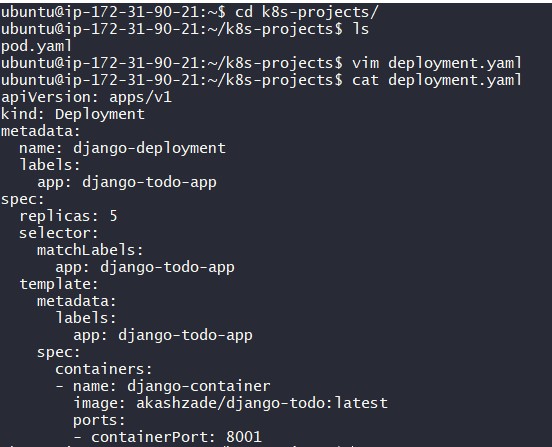
Then we apply the deployment to the K8s cluster by using
kubectl apply -f deployment.yamlcommand.We can view the deployments by using
kubectl get deployments.Even if we delete one pod, it will auto-healed automatically within no time. These show an auto-healing feature of the Kubernetes cluster.

This is optional we can see the running container in this way inside the docker with the help of
minikube sshcommand.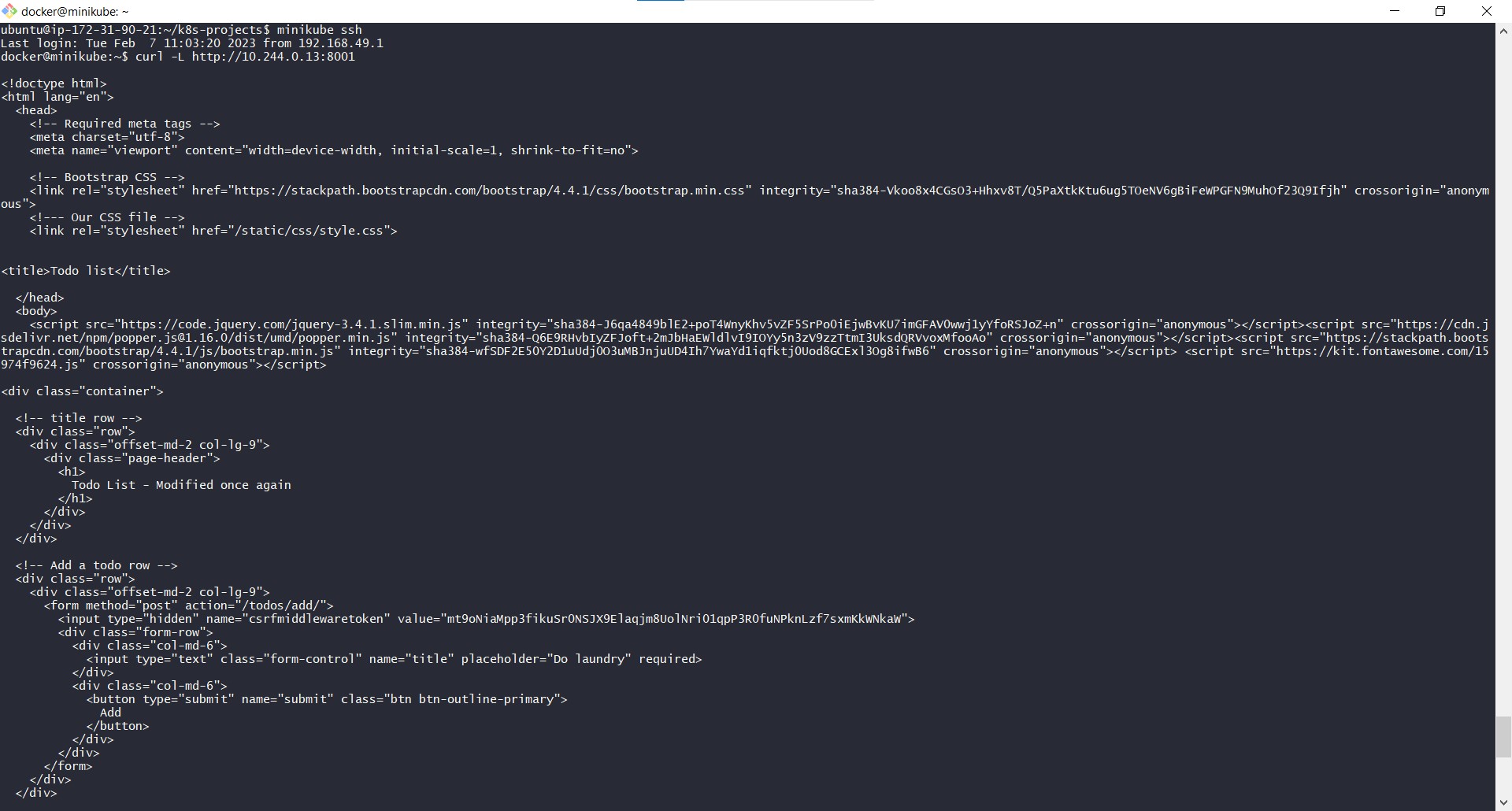

Reference: Kubernetes-Deployments
Thanks for reading my articles.
Also for your valuable time.
Keep learning and Stay healthy.


